
Online Beta
Online-first Ready path — offline stack ships in the same app
ORQVION Online Beta · Online + Offline AI · Pakistan-built
Describe the work. ORQVION plans, edits, tests, and maintains the project with online and offline AI (AUTO routing), write approvals, and an optional Docker sandbox — without turning your repository into our cloud product. No Ollama app: offline uses ORQVION AI and GGUF on your machine.
Online Beta
Online-first Ready path — offline stack ships in the same app
Tab · Cmd+K · Agent
Editor loops routed online or offline per policy
Enterprise SSO
OIDC · SAML · LDAP + RBAC
PK billing
JazzCash · Easypaisa · Alpha · bank transfer
Built for teams that cannot send source to the cloud
Tab completion
Inline next-edit suggestions routed by plan and model catalog. Online Beta uses Managed Online by default. No repository upload required.
orqvion — tab
function validateLicense(key: string) {
    const plan = parseKey(key)
    if (!plan) throw new InvalidKeyError()
    return bindDevice(plan)
}
Cmd+K inline edit
ORQVION’s Cmd+K flow: select code, describe the change, preview a unified diff, then accept or reject — Online Beta runs Managed Online AI; BYOK and Local Advanced are optional.
orqvion — cmdk
// selection
- if (!user.isOperator()) abort(403)
+ abort_unless($user?->canEditContent(), 403)
  return $next($request)
Agent mode
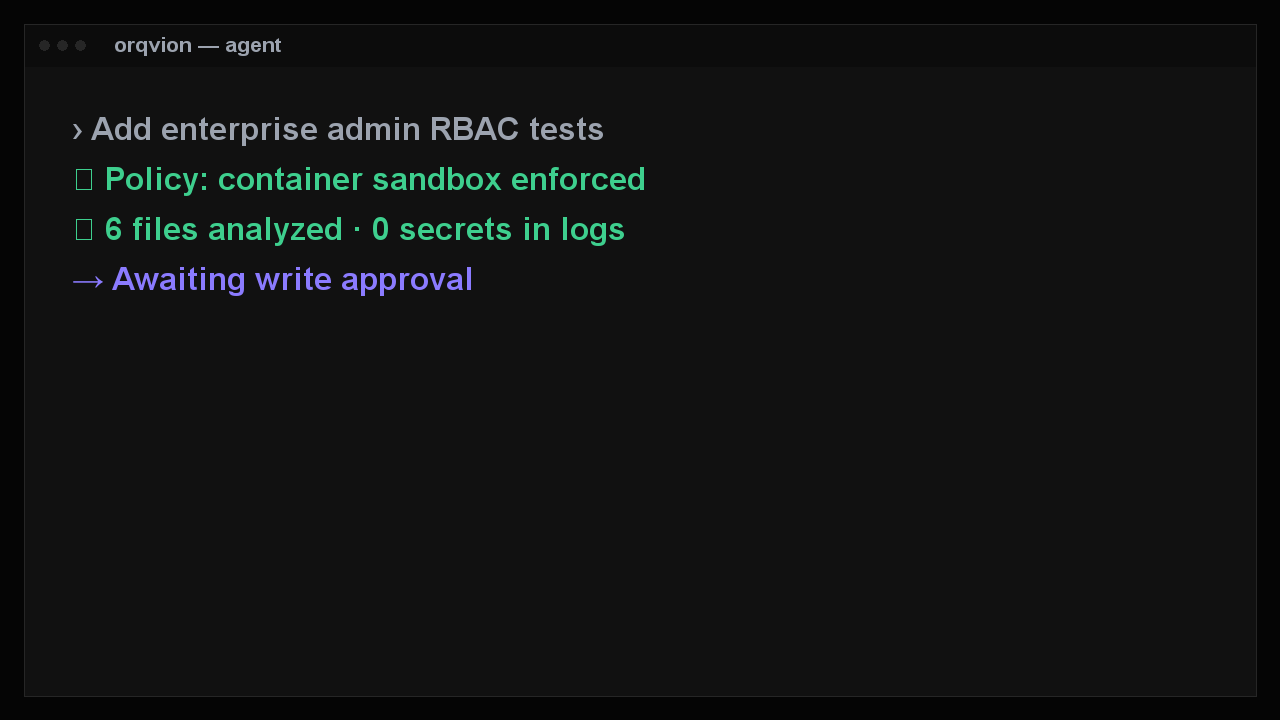
Read, write, search, shell, and Artisan tools behind a ReAct orchestrator. Writes are never silent. Docker isolation can be mandatory.
orqvion — agent
› Add enterprise admin RBAC tests
✓ Policy: container sandbox enforced
✓ 6 files analyzed · 0 secrets in logs
→ Awaiting write approval
Composer
Cmd+I opens a dedicated Composer workspace: task, touched files, unified review, and recoverable checkpoints — available in the desktop build today.
orqvion — composer
Composer · 3 files
✓ LicenseController.php
✓ EnterpriseAdminTest.php
✓ WEBSITE.md
→ Review unified diff
Context & MCP
Project rules in `.orqvion/rules`, skills, hooks, and MCP servers you configure. Tantivy + Tree-sitter retrieval for the agent. ORQVION rules import read-only.
orqvion — context
@file apps/website/routes/web.php
@folder apps/license-server/src
MCP postgres · github · browser
rules .orqvion/rules/enterprise.md
Studios (R4–R8)
Each studio ships a desktop panel, Rust registry, and policy-gated agent tools. ORQVION orchestrates your repo; it does not replace Blender, Unity, or a custodial wallet.
orqvion — studios
Studios Media · Browser · App builder
Game/XR Unity · Godot · WebXR
Web3 mainnet: policy gated
Agent write approval · sandbox
Unified workspace (R10)
Unified workspace navigation highlights the section you are in. Collaboration syncs team metadata — not your repository. Private Team Mesh stays on desktop.
orqvion — workspace
Nav IDE · Agents · Studios · Collab
Source local only
Mesh M0–M9 desktop
Audit metadata · no file upload
Enterprise
Deploy ORQVION inside your perimeter. The same desktop freelancers use is what enterprises gate with OIDC/SAML/LDAP, org policy, and PostgreSQL licensing.
orqvion — enterprise
Policy container_sandbox: required
SSO OIDC · SAML · LDAP
License ORQV-ENT-********
Audit website.license.lookup
Privacy by architecture
ORQVION is built for teams who cannot send source to a hosted coding cloud. Network is for licenses, updates, and optional consented diagnostics — not silent repo dumps.
How we build
Online Beta uses Managed Online AI. Source and indexes stay on your device; ORQVION does not permanently store prompts or code.
Diagnostics and website analytics stay off until you opt in. Agent writes still need approval.
Default launch is online (entitlement + optional BYOK). Offline inference uses ORQVION AI bundles and downloaded GGUF via llama.cpp — not the Ollama application.
SSO, RBAC, org policy, signed extensions, and a structured audit trail on your license server.
How it works
ORQVION Online Beta: desktop IDE + AUTO AI routing + write approvals. The license server is control plane for checkout, activation, and entitlements — not a prompt proxy.
macOS, Windows, or Linux where builds are published. The IDE, terminal, Git, and agent run on your machine.
Activate a license or sign in. Ready wizard defaults online; enable offline under Settings → Advanced Local (ORQVION AI + GGUF downloads).
Agent mode shows diffs. File writes need your approval. Shell runs in the configured sandbox — Docker when policy requires it.
Enterprise points ORQVION_LICENSE_URL at your license server; device bind and refresh use that server.
Platform
Monaco editor, file explorer, command palette, LSP, themes, and a built-in browser preview.
206 online catalog metadata + 49 offline GGUF entries. AUTO routes by task, hardware, and network. Advanced Local lives under Settings.
Multi-step tasks with diffs, approvals, sandboxed shell, and recoverable checkpoints.
Tantivy search, Tree-sitter symbols, and hybrid codebase retrieval for the agent.
Integrated terminal, Git panel, test runner, and DAP debugger for Node and PHP.
Project detection, Artisan runner, scaffold wizard, and live preview for PHP teams.
Universal stacks
Language adapters and dedicated panels — not a single-language demo.
React, Next.js, Vue, Vite, live preview
Artisan, Intelephense, scaffold, preview
Flutter and Expo detection + Mobile panel
PyTorch / TensorFlow workflows
Hardhat, Foundry, contract scans
Unity, Godot, Unreal hooks
WebXR / OpenXR panel
Generation, convert, ffmpeg transcode
Product
Screenshot
Monaco, LSP, command palette
Screenshot
Diffs, approvals, sandbox
Screenshot
Artisan, preview, PHP debug
Screenshot
SSO, RBAC, audit trail
Run php artisan orqvion:seed-launch-assets for default screenshots, or upload from Admin → Gallery.
Free, Pro, Business, and Enterprise. Same catalog as the desktop app — including PK billing.